cc-cast
Configure and switch 魔方AI Claude Code profiles with cc-cast.
How the integration works
cc-cast stores a 魔方AI profile and writes it to the Claude Code user settings when you switch:
cc-cast profile
    ↓ writes environment variables
~/.claude/settings.json
    ↓ Claude Code sends requests directly
https://www.mofangai001.cn/v1/messages
For this reason, ANTHROPIC_BASE_URL must be the site root https://www.mofangai001.cn. Do not append /v1 or /v1/messages.
Prerequisites
Before you begin, make sure that:
- Node.js 22 or 24 LTS and npm are installed.
- Claude Code is installed and has been run at least once.
- You have created an active token on the 魔方AI Token Management page.
- You know the exact Claude model IDs allowed by that token.
- Claude Code is closed and you have copied the complete
~/.claude/settings.jsonas a backup.
On Windows, ~ usually means C:\Users\your-user-name.
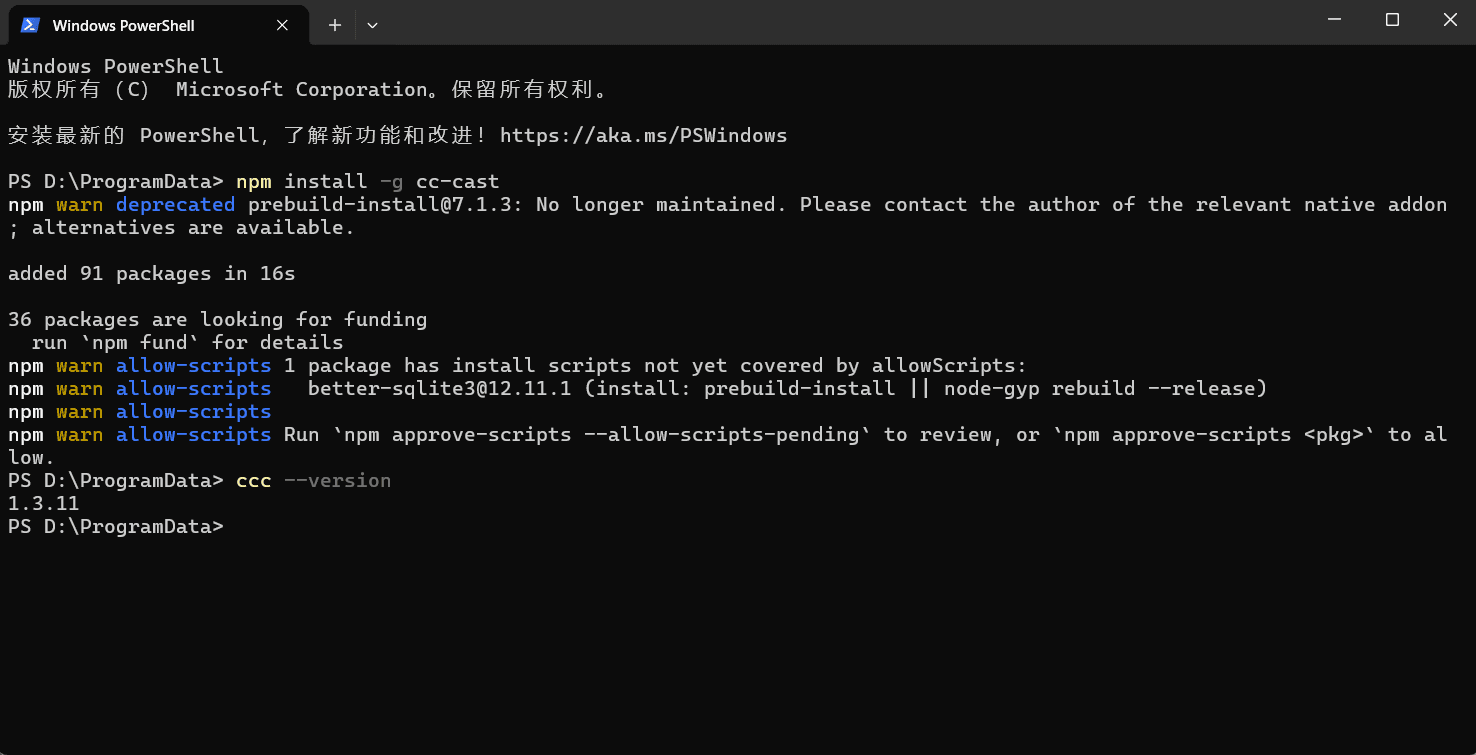
1. Install cc-cast
Run the following in PowerShell, Windows Terminal, or a macOS/Linux terminal:
npm install -g cc-cast
ccc --version
If ccc is not found, reopen the terminal and verify that npm's global executable directory is on PATH.
2. Initialize cc-cast
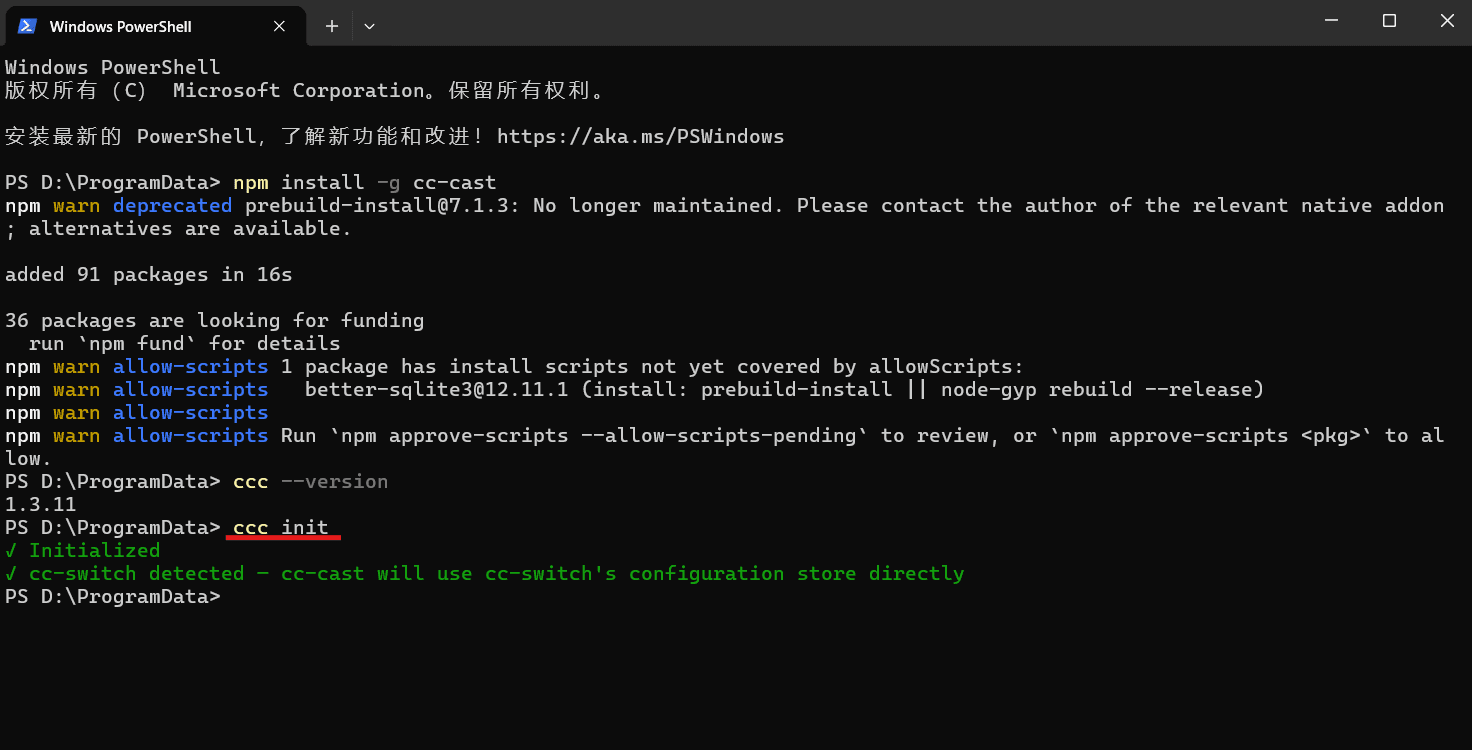
To use the Chinese interface, set the locale first, then initialize:
ccc locale set zh
ccc init
cc-cast checks the local configuration. If it finds ~/.cc-switch/cc-switch.db, it automatically uses the Claude providers stored by CC Switch; otherwise it uses its own profile store. Both modes ultimately write the active configuration to ~/.claude/settings.json.
3. Add the 魔方AI profile
Run:
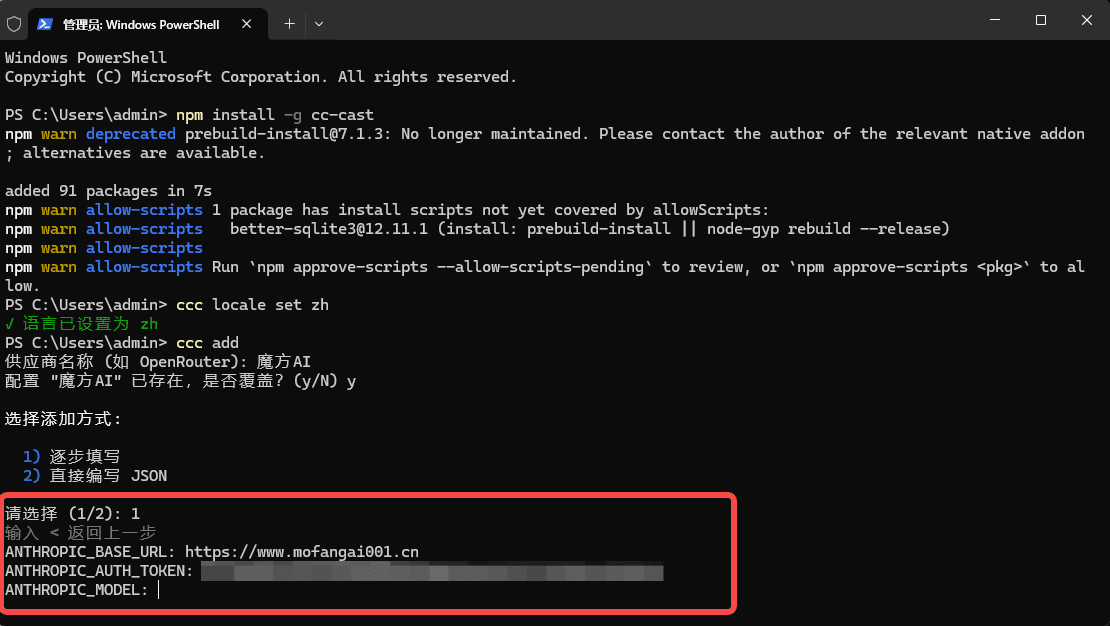
ccc add
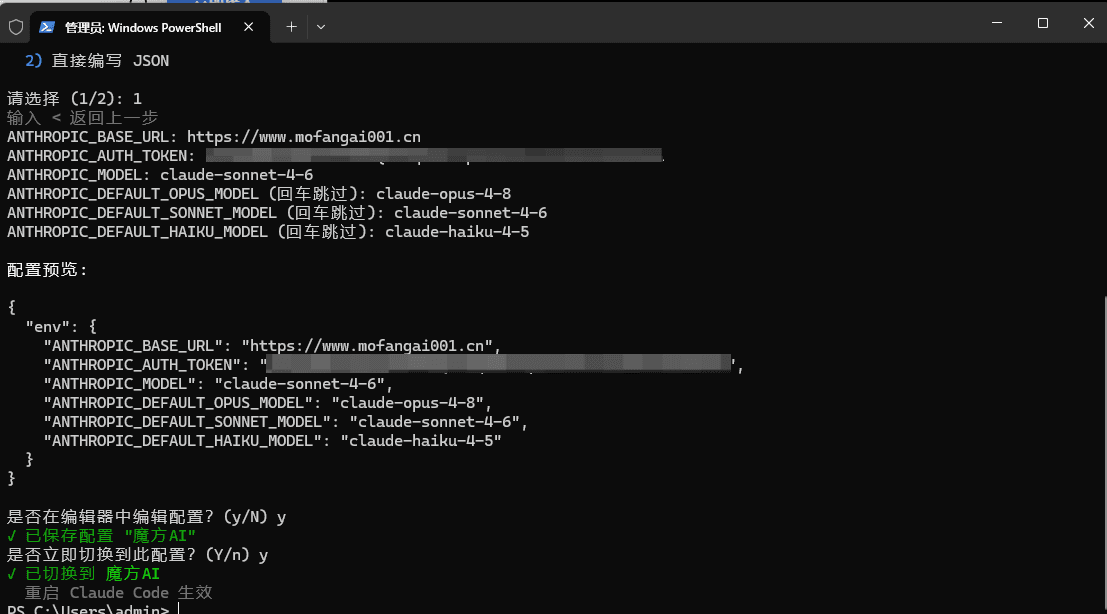
Complete the wizard as follows:
- Enter
魔方AIas the profile/provider name. - Select mode
1for step-by-step configuration. - Enter
https://www.mofangai001.cnforANTHROPIC_BASE_URL. - Enter your 魔方AI token for
ANTHROPIC_AUTH_TOKEN.
| Setting | Value |
|---|---|
| Profile / Provider Name | 魔方AI |
ANTHROPIC_BASE_URL | https://www.mofangai001.cn |
ANTHROPIC_AUTH_TOKEN | Your 魔方AI token, for example sk-your-api-key |
4. Configure model mappings
Continue through the wizard and enter exact model IDs allowed by your token:
| Setting | Recommended value |
|---|---|
ANTHROPIC_MODEL | Exact default model ID |
ANTHROPIC_DEFAULT_OPUS_MODEL | Exact model ID for Opus tasks |
ANTHROPIC_DEFAULT_SONNET_MODEL | Exact model ID for Sonnet tasks |
ANTHROPIC_DEFAULT_HAIKU_MODEL | Exact model ID for Haiku tasks |
If the token permits only one Claude model, you can use the same exact model ID in all four fields. Every ID must exactly match the value shown by 魔方AI Token Management.
Review the JSON preview, save the profile, and choose to switch to it immediately.
5. Activate and verify
Check the active profile:
ccc current
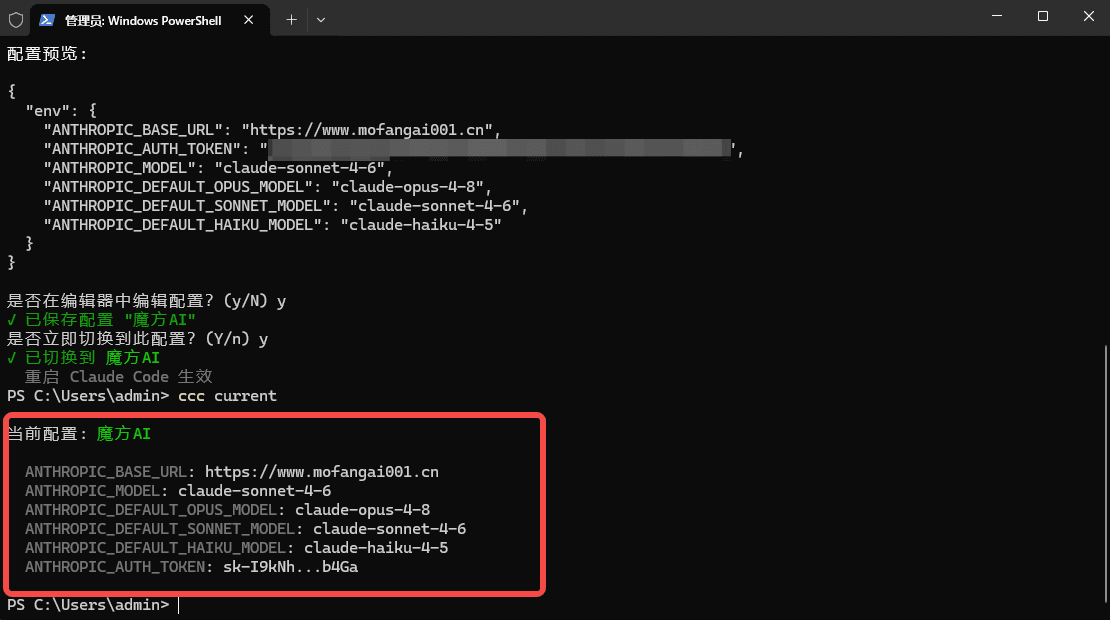
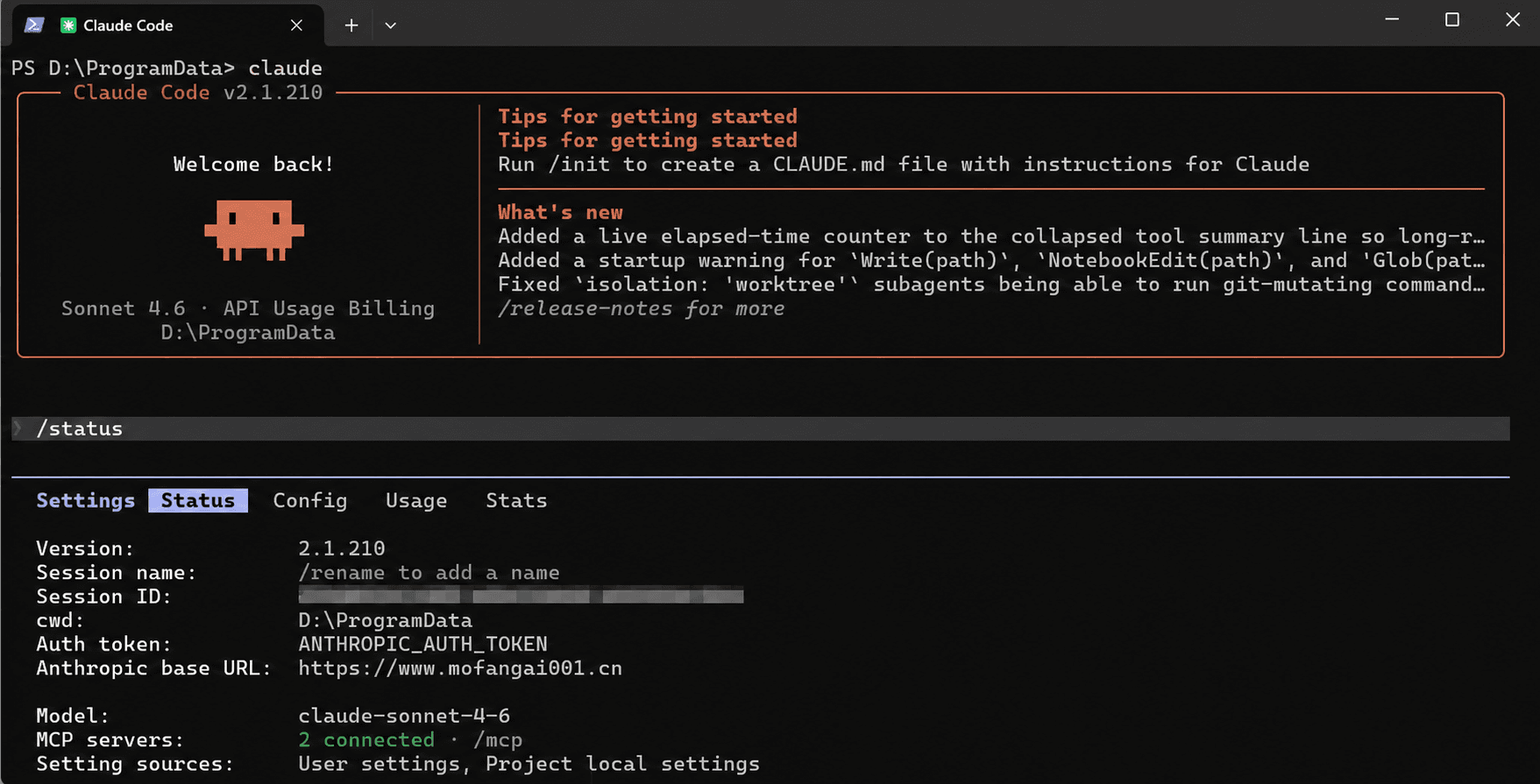
Fully quit and reopen Claude Code. Run /status to confirm the Base URL and model, then send a test message. cc-cast does not need to remain running.
Day-to-day switching
# List profiles
ccc ls

# Switch to 魔方AI
ccc use 魔方AI

# Edit the 魔方AI profile
ccc modify 魔方AI

# Remove the profile from cc-cast
ccc remove 魔方AI
Fully quit and reopen Claude Code after every switch. If you also use CC Switch, close and reopen its GUI after switching so it does not continue to display stale state.
Configuration, backup, and removal
| File | Purpose |
|---|---|
~/.claude/settings.json | Live settings read by Claude Code |
~/.cc-cast/config.json | Profiles in cc-cast standalone mode |
~/.cc-cast/rc.json | cc-cast aliases, locale, and related preferences |
~/.cc-switch/cc-switch.db | Provider database used when CC Switch is detected |
When switching, cc-cast updates ~/.claude/settings.json, and the profile's env replaces the previous env. It does not create a complete automatic backup, so copy the whole settings file before the first switch.
ccc remove 魔方AI only removes the profile; it neither revokes the 魔方AI token nor reliably restores the previous Claude Code settings. Likewise, ccc clear does not guarantee removal of variables already written to ~/.claude/settings.json. To revoke access, revoke the token in 魔方AI first, then close Claude Code and restore your backup or manually remove the related variables.
Security
Troubleshooting
Why does the Base URL not include /v1?
cc-cast writes this value to ANTHROPIC_BASE_URL, and Claude Code requests /v1/messages itself. Using the site root prevents a duplicated /v1/v1/messages path.
Why do I get a 401 or authentication error?
Verify that the token was copied completely, is enabled, has not expired, has available quota, and that any IP restrictions allow this device. Then run ccc use 魔方AI again and restart Claude Code.
Why do I get a 404 or /v1/v1/messages?
Run ccc modify 魔方AI and set ANTHROPIC_BASE_URL to https://www.mofangai001.cn. Remove /v1, /messages, and trailing slashes, then switch again and restart Claude Code.
Why is a model unavailable or the old model still active?
Make sure every model ID exactly matches Token Management, check the active profile with ccc current, and fully close every Claude Code window before reopening it. Project settings or system environment variables may also override user settings.
Can cc-cast be used with CC Switch?
Yes. When the CC Switch database is detected, cc-cast reuses its Claude providers. Close Claude Code before switching, then restart CC Switch and Claude Code so stale state or another tool does not overwrite the new configuration.
Why do some examples use the ccm command?
ccm is a compatibility entry point. The current official command is ccc, which this guide uses consistently to avoid confusion with older tools and documentation.