New API
Configure 魔方AI as an OpenAI upstream channel in New API and test available models from the chat interface.
1. Add a channel
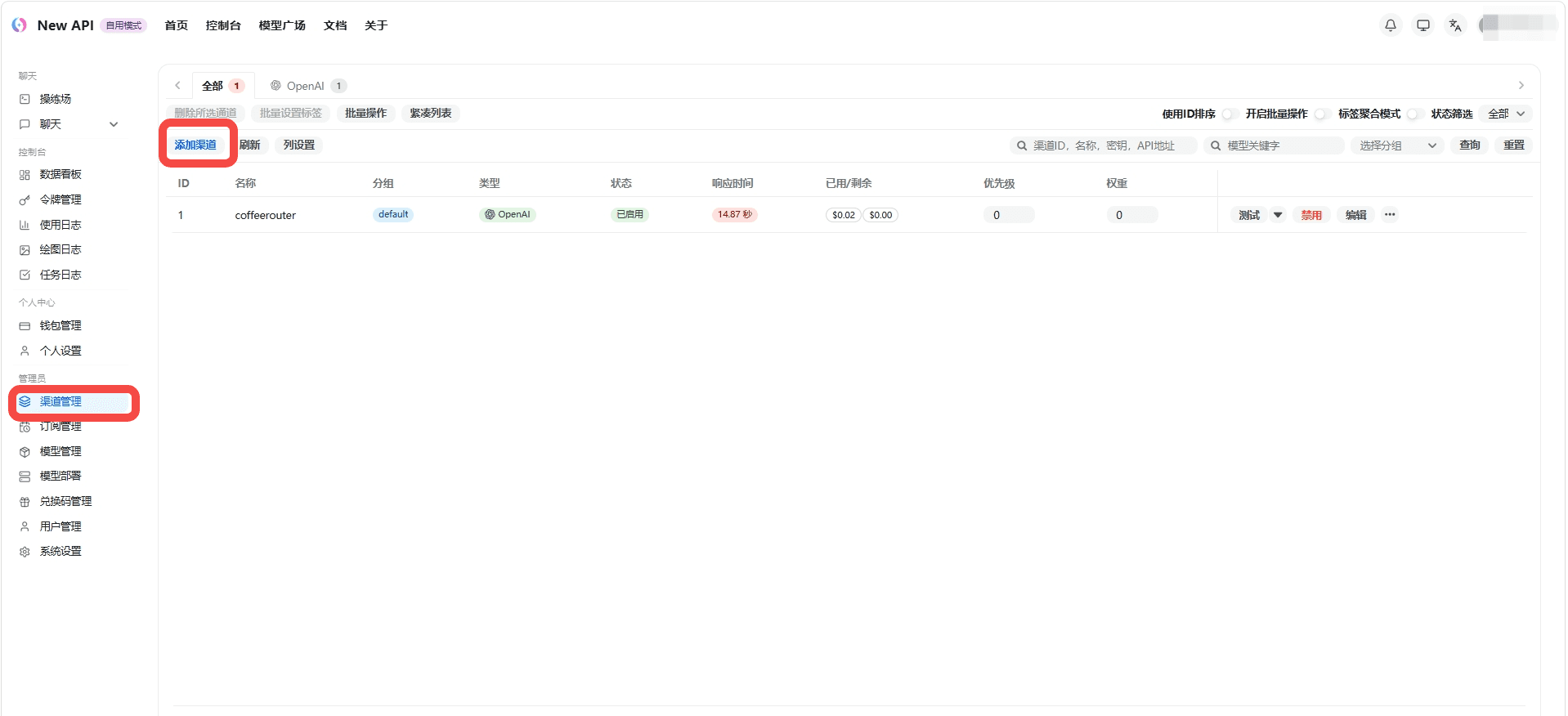
Sign in to the 魔方AI admin console, open Channel Management, and select Add channel.
2. Configure 魔方AI
Enter the following values when creating the channel:
| Field | Value |
|---|---|
| Type | OpenAI |
| Name | 魔方AI |
| Key | An API token from 魔方AI Token Management, such as sk-your-api-key |
| Base URL | The 魔方AI site root, such as https://www.mofangai001.cn |
| Model | Select the models allowed by the current token as needed |
Use the site root as the Base URL and do not append another /v1. If you operate your own 魔方AI deployment, replace the example domain with your actual site address.
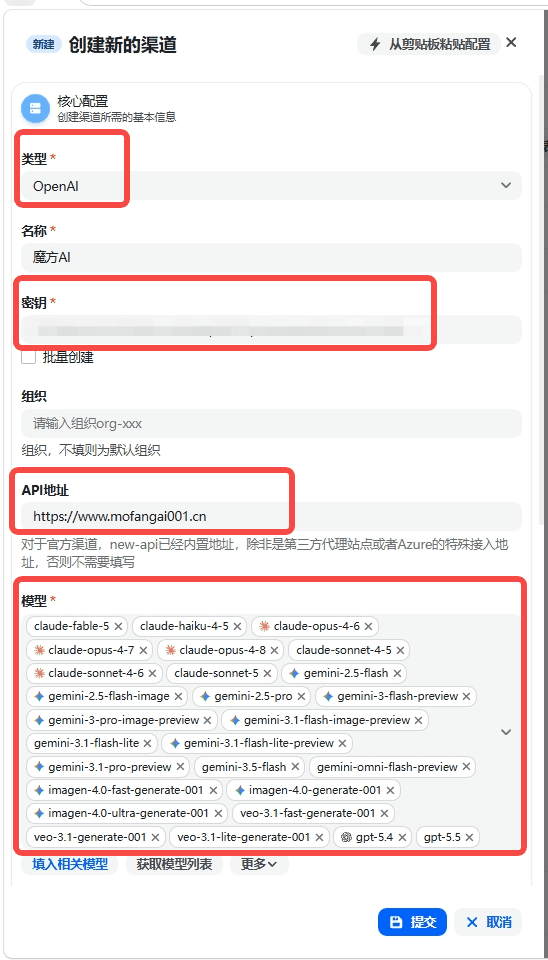
Select Submit to save the channel. Then use the test action in the channel list to verify connectivity.
3. Open the chat interface
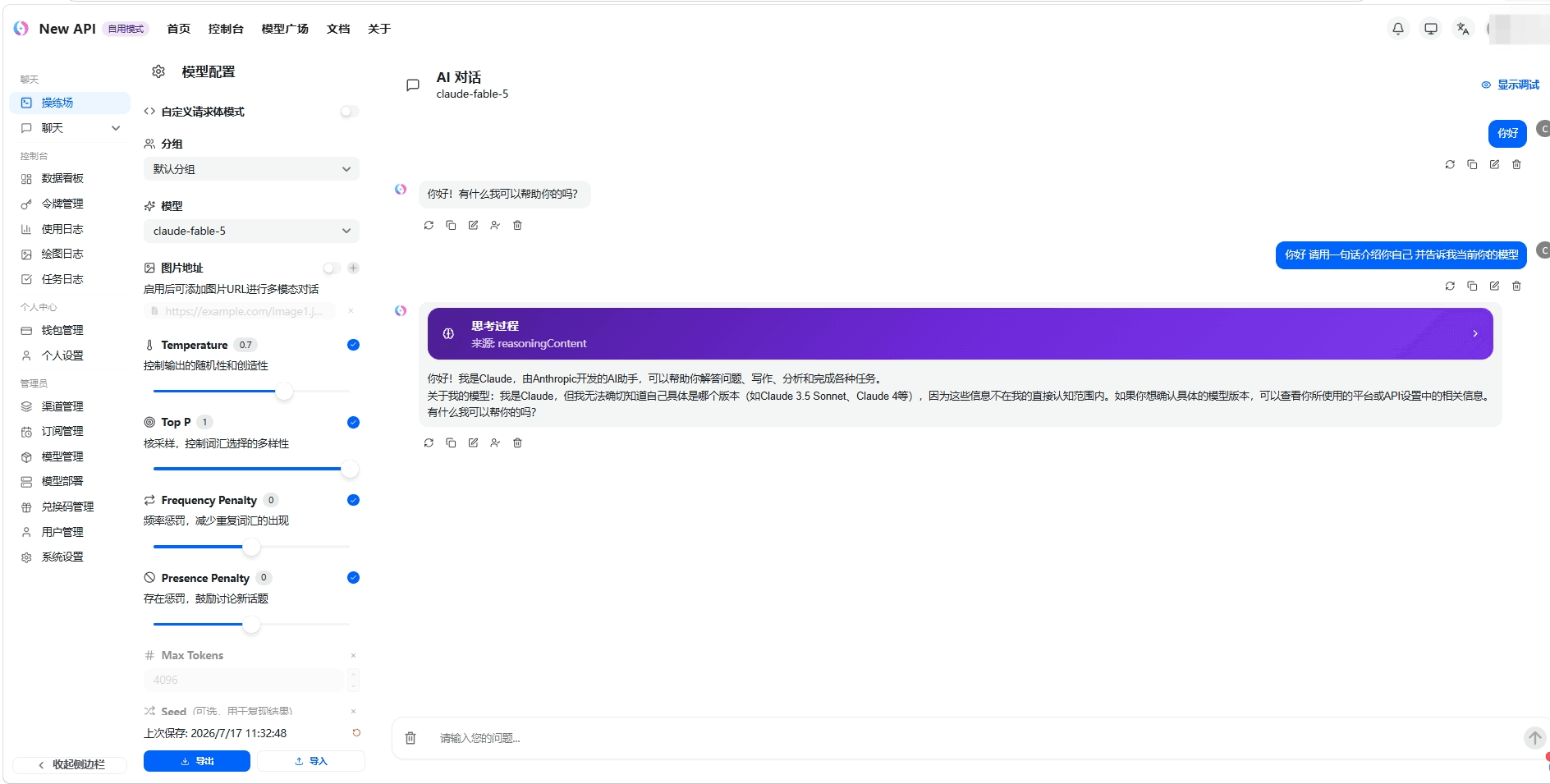
Open Playground or Chat, select the channel group and model you configured, and send a test message.
Security notes
- A 魔方AI API token is a calling credential. Never share the full token, configuration screenshots, or runtime logs.
- Create a dedicated token for 魔方AI and configure appropriate model, quota, and IP restrictions.
- If a token appears in a public screenshot or any untrusted location, revoke it immediately in 魔方AI and create a replacement.