Claude Code Router
Configure 魔方AI as a custom API endpoint in Claude Code Router, select models, start the agent profile, and open Claude Code.
Follow these steps to add 魔方AI to Claude Code Router and start an agent with the custom provider.
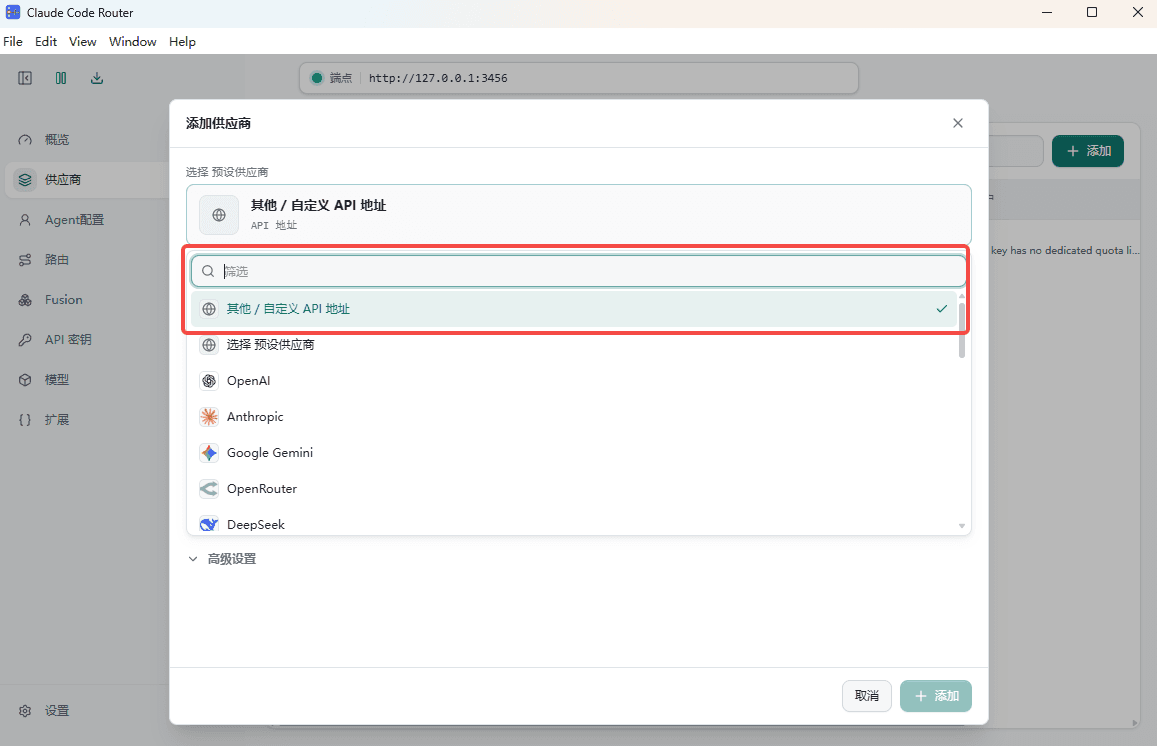
1. Choose a Custom API Endpoint
Open Claude Code Router, select Other, and choose the option for a custom API endpoint.
2. Configure the 魔方AI Provider
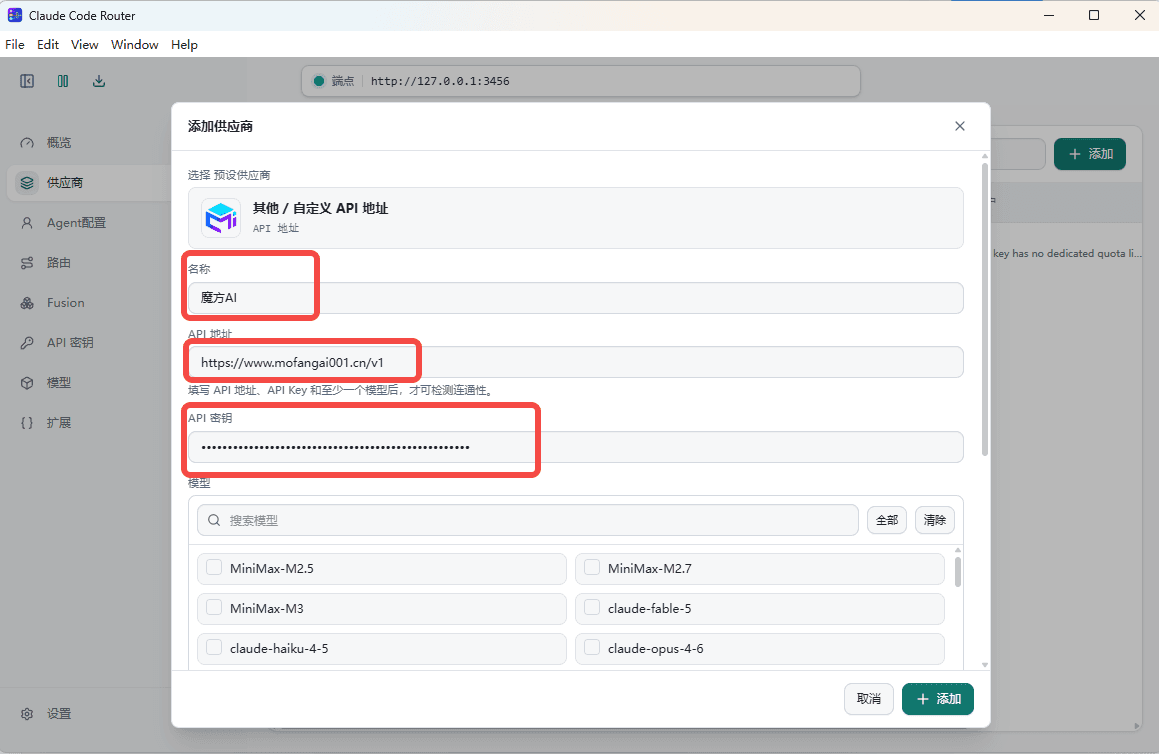
Enter the following values:
- Provider Name:
魔方AI - API Endpoint:
https://www.mofangai001.cn/v1 - API Key: Obtain it from 魔方AI. The placeholder used in this guide is
sk-your-api-key.
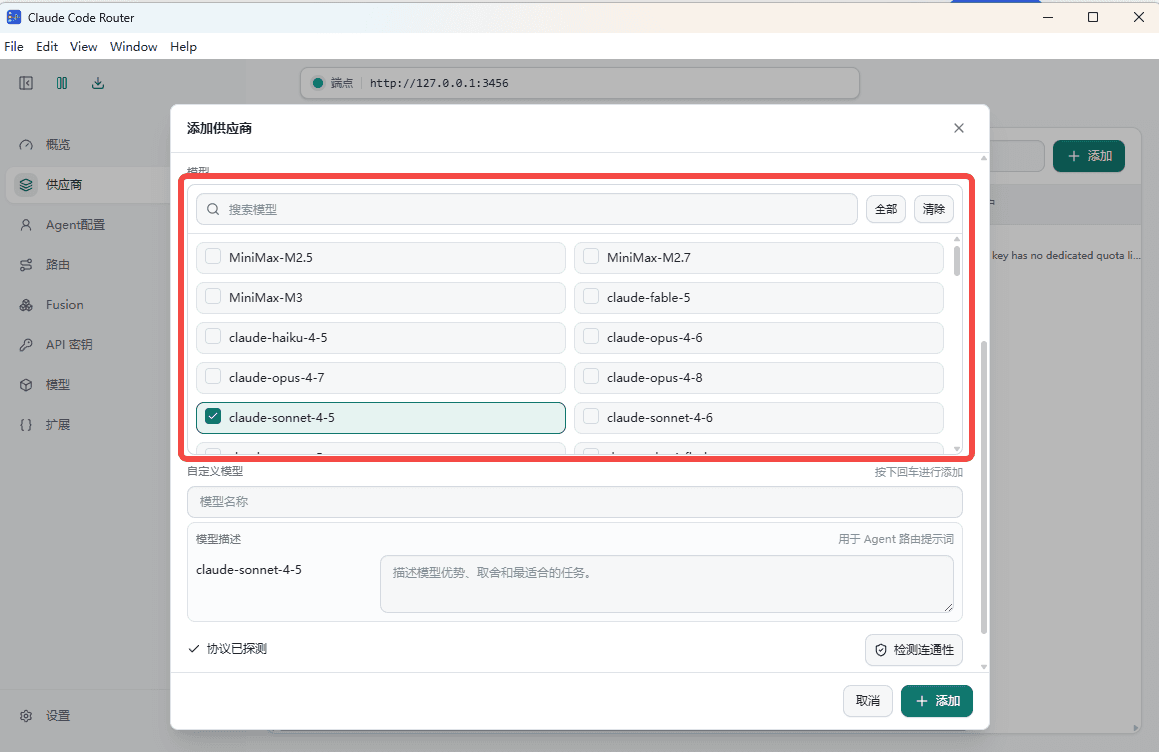
3. Select and Map Models
Select the models you want to use and adjust their mappings as needed. Keep each model ID consistent with the model name available to your 魔方AI token.
4. Continue from Let's Start
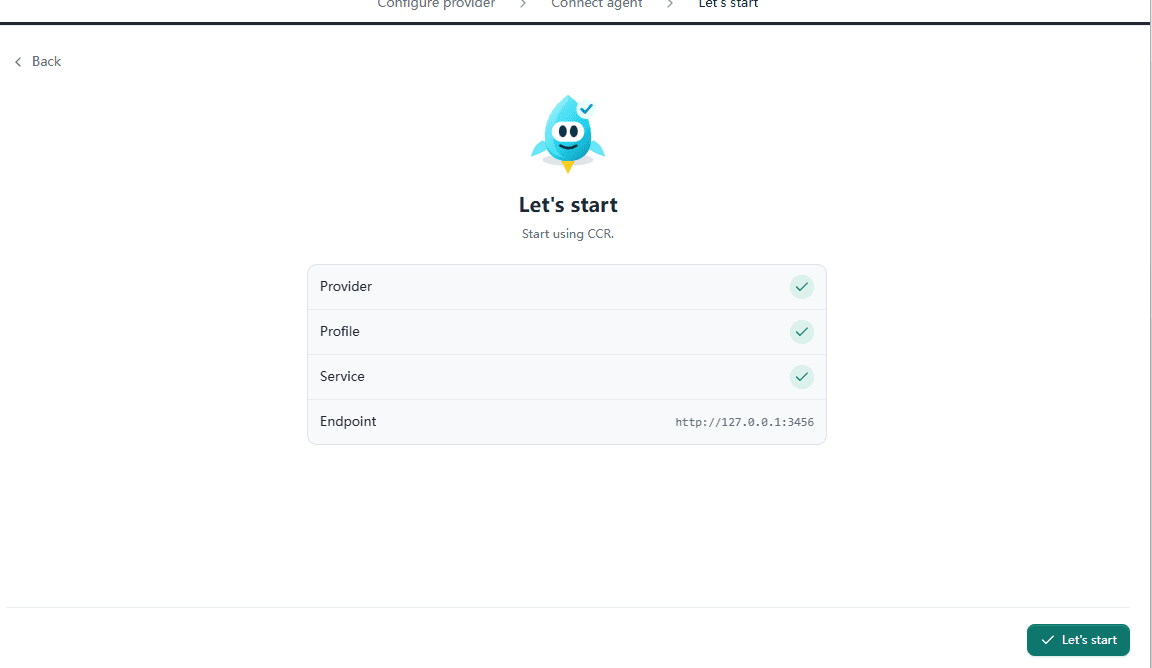
Go to Let's start, review the configuration, and click the button to continue.
5. Start 魔方AI from Agent Config
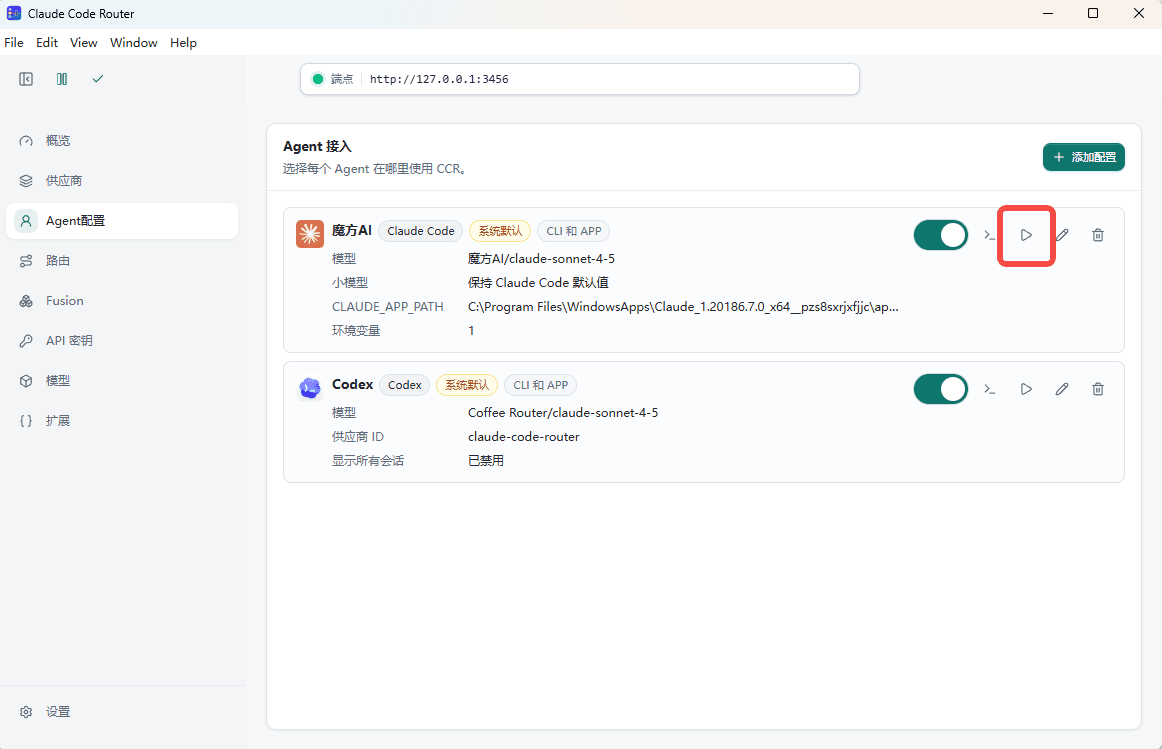
Return to Agent Config, find 魔方AI, and click the start button on its right.
6. Test in the Claude Window
After Claude Code Router opens the Claude window, send a message to verify that the configured model can respond successfully.